| Theoretical Evaluation
Microsoft Excel 97 - Module 1 (Nederlandse opleiding voor Engelse software)
MXL97ACHP1T |
 |
 |
|
  |
This theoretical evaluation was designed to evaluate your knowledge of this application. You will be able to determine, through a series of multiple choice questions, if you understand the essential concepts required to master this application. |
  |
|
 |
Basic Knowledge of Microsoft Excel 97
|
Knowledge evaluated
|

|
|

|
15 minutes
|
|
 |
|
-
Het Excel 97 werkvenster
Excel 97 starten
Kennismaking met de interface van Excel
De taakbalk
De titelbalk
De menubalk
Het 'View'-menu
Beschrijving van het werkblad
Gegevens invoeren
Samenvatting
-
Gegevens invoeren
Nieuwe gegevens invoeren
Uitlijnen in cellen
Het 'Format'-menu
Het dialoogvenster 'Format Cells'
-
Cellen selecteren
Een groep cellen selecteren
De 'Formatting'-werkbalk
Opmaak van rijen en kolommen
Kleur toevoegen
Verschillende cellengroepen selecteren
Lettertypes en -groottes
De 'Undo'-knop
Opmaak kopiëren
Randen invoegen
-
Stapsgewijs kopiëren
De inhoud van een cel wissen
De inhoud van een cel vervangen
Kopiëren/Plakken met behulp van het 'Edit'-menu
De vulgreep
Stapsgewijs kopiëren
Gegevens verplaatsen
|
-
Het uitzicht van het blad wijzigen
Een cel invoegen en verwijderen
Eén of meer rijen invoegen
Eén of meer rijen verwijderen
Een kolom invoegen
Een kolom verwijderen
De hoogte van een rij aanpassen
Kolombreedte
Kolommen automatisch aanpassen
Standaardbreedte
-
Een overzicht opstellen met Excel
Formules invoegen
Een formule kopiëren
Courante functies
Logische functies
Een functie plakken
Formules wijzigen
Samenvatting van de les
-
De opbergmap opslaan
Presentatie van de les
Het dialoogvenster 'Save as'
Een standaardmap aanmaken
Werk opslaan
Een werkmap sluiten
Een werkmap openen
-
De helpfunctie van Excel
De optie 'What's This?'
Het tabblad 'Contents'
Het tabblad 'Index' en 'Find'
De Office-assistent
Afdrukken met de assistent
De tips van de assistent
|
 |
|
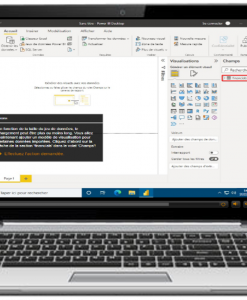
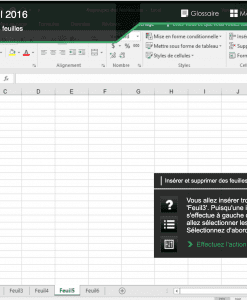
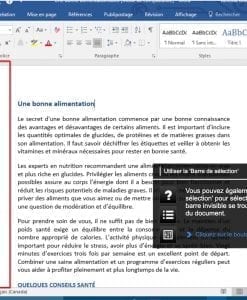
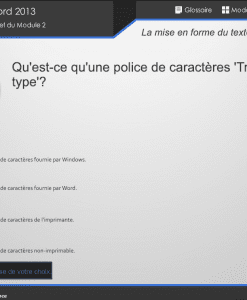
Using any computer with Internet access, the learner enters his/her confidential ID and obtains a list of evaluations to which he/she is subscribed. Once an evaluation is selected, it begins with a series of multiple choice questions. At any time during the evaluation, the learner can obtain the definition of certain terms through the glossary. When the evaluation is complete, the result is immediately obtained.
|
 |
|
• No installation required
• IBM PC compatible, Pentium 233 MHz minimum, 330 MHz and more strongly recommended.
• Video card that supports 800x600 or greater monitor resolution, and 16-bit color
• 32 MB RAM minimum, 96 MB and more strongly recommended.
• Microsoft compatible mouse
• Operating system: Windows 95, 98, 2000, NT 4.0, or more recent
|
• Netscape 4.7 or Internet Explorer 5.0 (or more recent)
• Internet connection: Modem 56 K minimum, high-speed connection is strongly recommended or network connection 10 Mbit minimum.
|
 |
|
EDU-PERFORMANCE CANADA
7900 Taschereau Blvd. W.
Suite A-207
Brossard, Quebec J4X 1C2
Canada
Tel.: (450) 466-7275
Fax: (450) 466-4915
Toll free: 1-888-EDU-PERF
1-888-338-7373
E-mail: info@eduperformance.com
Web site: www.eduperformance.com
|
EDU-PERFORMANCE EUROPE
International number: 1-450-466-7275
E-mail: infoepe@eduperformance.com
|
| |
|
|
|
© 2006 Edu-Performance Canada Inc. All rights reserved. Duplication prohibited. All products and product names mentioned in this publication are trademarks or registered trademarks of their respective holders.
|